
lasso
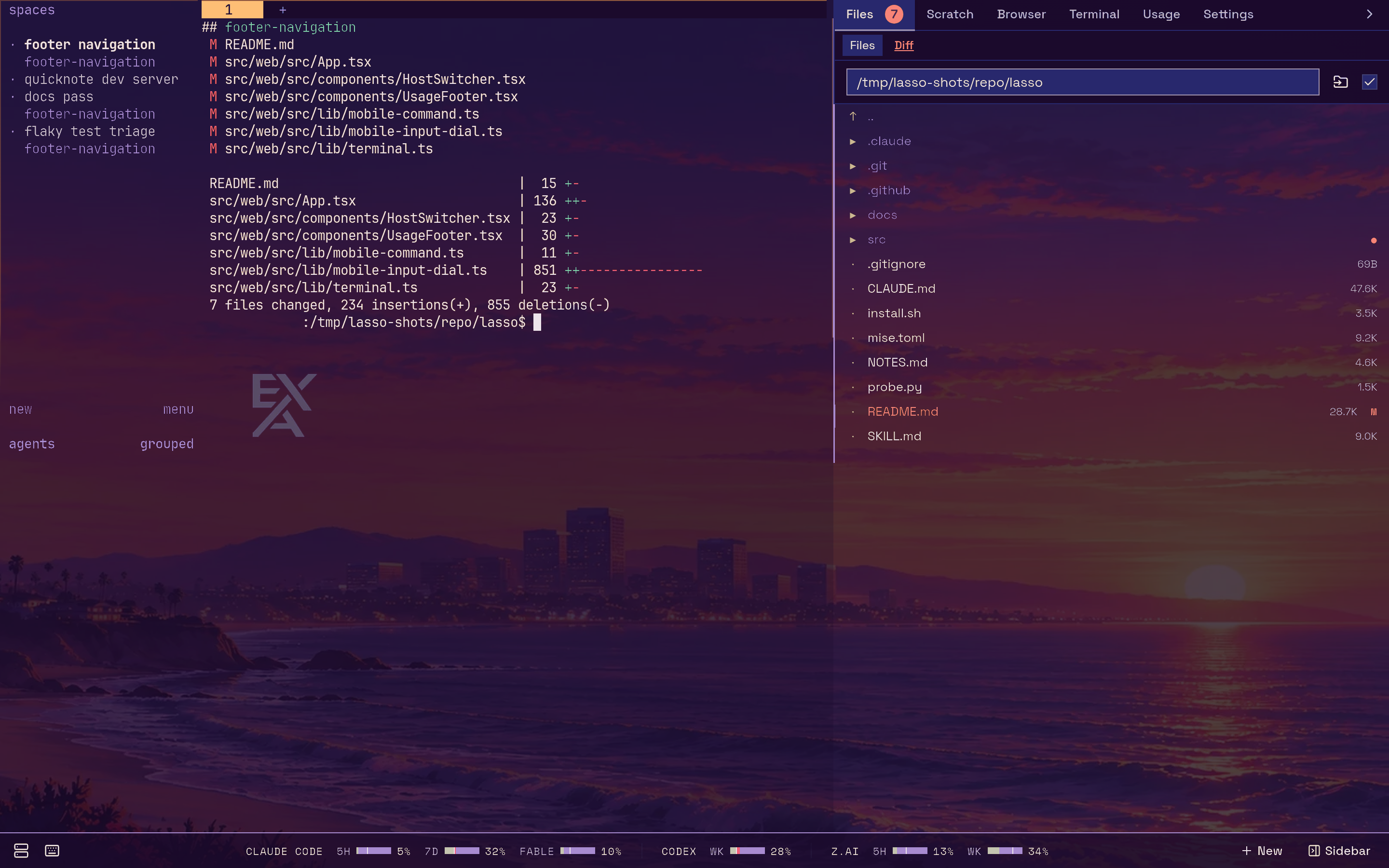
An agent that has been waiting forty minutes on a y/n you never saw is an agent doing nothing. lasso is a single Go binary that puts your coding agents in one place: every machine you can SSH to, the herdr session on each, and every pane in it, in a browser tab and in a phone app that buzzes when an agent needs you.
Approve the tool call from the couch. Read the diff on the train. Hand the agent a photo of the whiteboard from your camera roll.
Who it's for#
lasso is for people who run several coding agents at once (Claude Code, Codex, OpenCode, Oh My Pi, pi) across one or more machines, usually inside herdr, and who are tired of finding out an hour later that one of them stopped to ask a question.
You run it on the machine where your agents live. It needs herdr and ttyd there, and SSH access to any other machines you want it to drive.
What you get#
- Your real terminal, anywhere. The main column is your actual herdr session over
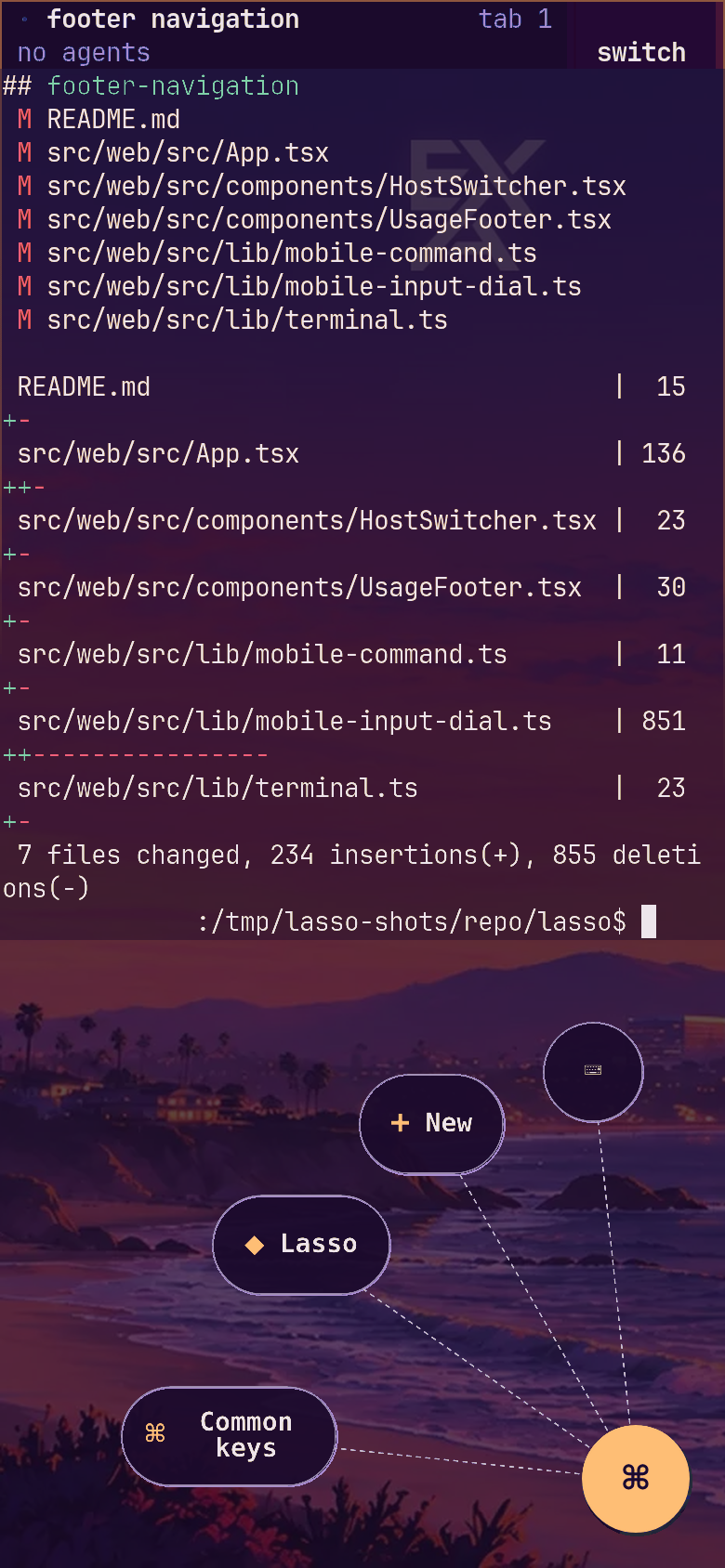
ttyd: same keys, same theme, same panes. lasso adds around it and never sits in front of it. See The terminal. - A phone that is a first-class client. A home-screen app that opens on an Inbox of what is waiting on you, with your agents and bots as conversations you can answer with a tap or dictation; and, one switch away, the full UI with a dial for the keys a touch keyboard doesn't have (Esc, Ctrl-C, Tab, arrows) and photo and file upload straight to the agent's host. See Using lasso on a phone.
- A Mac app. Lasso for the Mac puts the same Inbox on the edge of your screen, with a window per agent, global shortcuts to start one, and an arrival sound. See The Mac app.
- A push when an agent is stuck. lasso watches every reachable host and sends a Web Push to your locked phone when an agent blocks on a tool approval, a plan gate or a question, and when an agent pings you on purpose with
lasso notify. Each device chooses what may interrupt it. See Notifications. - A sidebar that follows the focused pane. A file browser and editor with a live git diff, rooted on the machine that pane is working on, even when the pane is an SSH window onto another box. See The sidebar.
- A browser you and your agents share. A real Chromium streamed into the sidebar: you watch, and click in, the same pages an agent is driving. See The shared browser.
- Agents orchestrating agents. An MCP server lets one agent spawn, list, inspect and close others across your machines. See MCP server.
- Little to deploy. One binary that embeds its own frontend and spawns its own terminals through ttyd. Its state is a single SQLite file in
~/.lasso.
Start here#
- Install and run lasso.
- Connect your agent CLIs to its MCP servers.
- Decide how you'll reach it from other devices: Deployment. A phone needs an HTTPS origin.
- Put it on your phone and, on a Mac, install the Mac app.
- Read the security model before you expose it anywhere. The terminal is a writable shell.
Then learn the pieces: hosts, agents and worktrees, and the web UI.
How it fits together#
lasso talks to herdr over its unix socket on the local machine, and over a pooled SSH connection on every other host. It serves the web UI, proxies the terminals, pushes live state to your browser, and keeps its own small database for settings, push devices and agent records. Architecture has the diagram.
lasso is open source under the Apache License 2.0: github.com/execution-associates/lasso.